
Practice
Practice simulates a tournament round with exact dance and pause times. You train under competition conditions.
Starting a round
Section titled “Starting a round”- Open Practice in the sidebar.
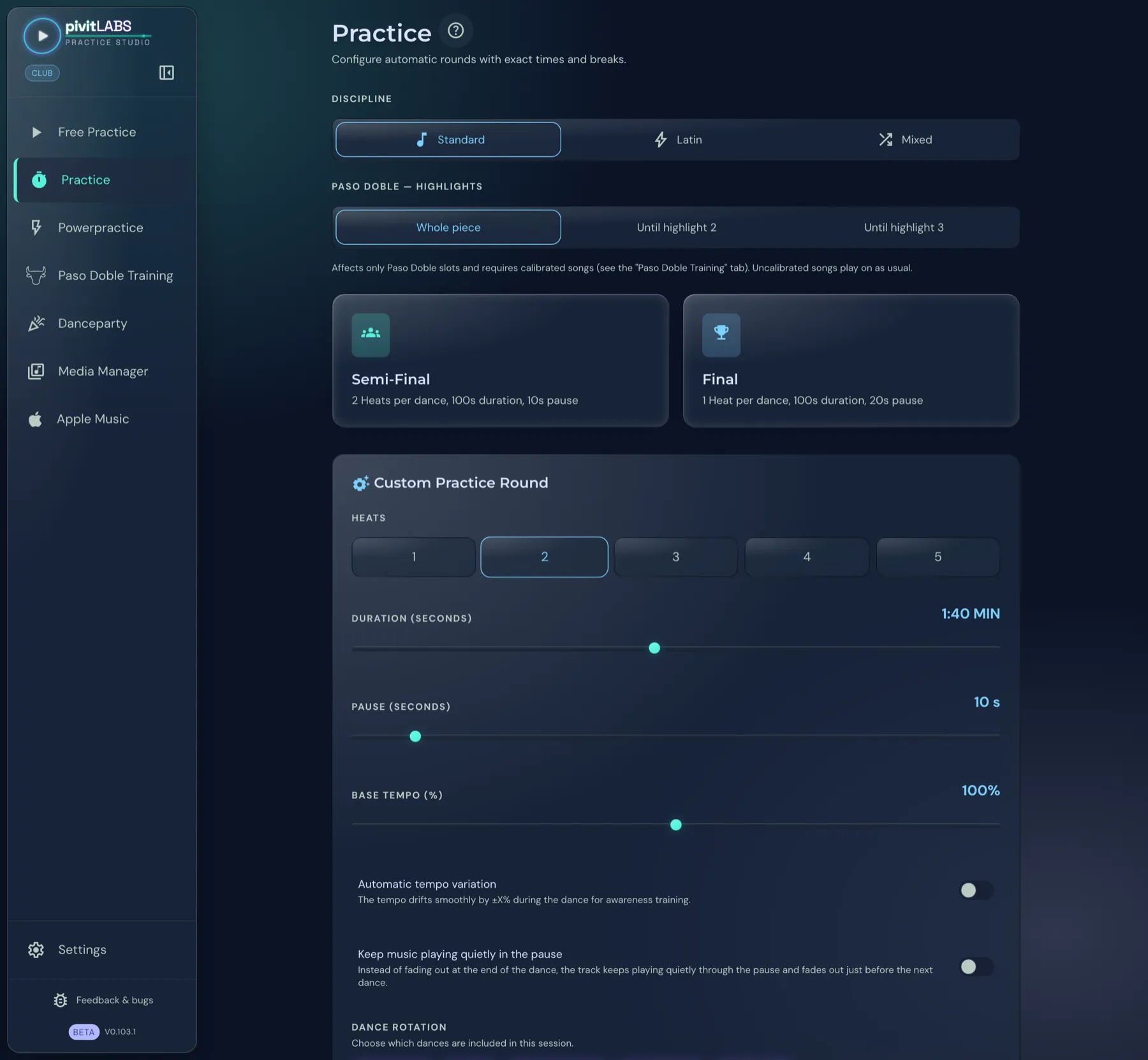
- Choose the Discipline: Standard, Latin or Mixed. For Mixed you also decide whether Standard Starts or Latin Starts.
- Click Semi-Final or Final. The round starts immediately.
| Round | Structure |
|---|---|
| Semi-Final | 2 heats per dance, 100 s dance time, 10 s pause |
| Final | 1 heat per dance, 100 s dance time, 20 s pause |
Semi-Final and Final are included in Basic.
During the round
Section titled “During the round”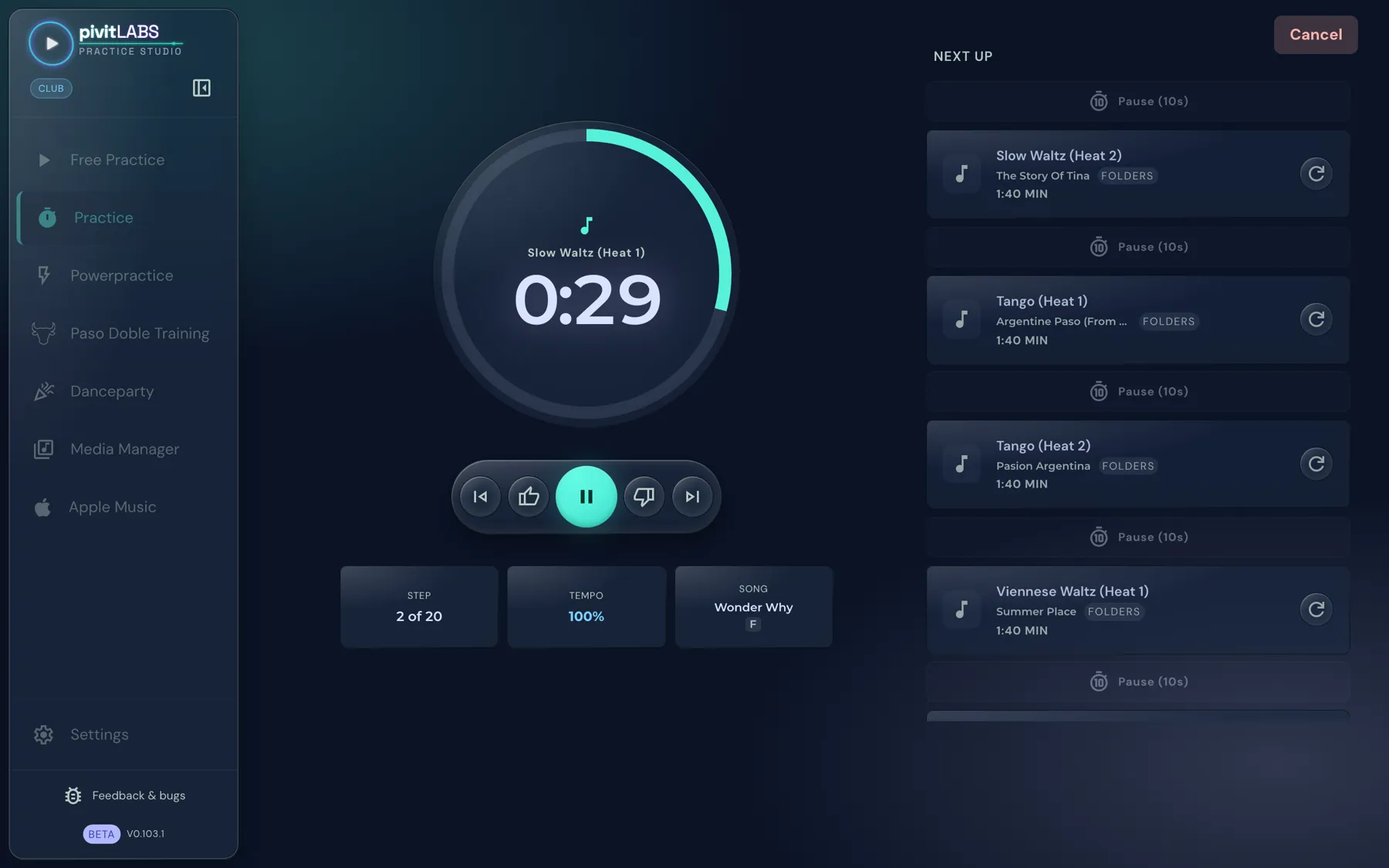
- Time ring in the middle: It shows the current dance with its heat and the remaining time, here the first heat of the Slow Waltz.
- Controls below: to the previous step, play or pause, to the next step. The thumb icons for rating the song belong to the Club package.
- Three tiles: Step (here 2 of 20), the current Tempo and the running Song.
- Next up: On the right you see all following dances and pauses with song title, length and the source of the song (Folder or Playlists). The circular arrow next to a dance loads a different song for it.
- Cancel: The button at the top right ends the round after a confirmation.
Paso Doble: highlights
Section titled “Paso Doble: highlights”Under Paso Doble — Highlights you decide whether a Paso Doble plays as the whole piece or only until highlight 2 or until highlight 3. This applies to Paso Doble dances only and requires calibrated songs. Songs that are not calibrated play on as usual. How to calibrate songs is explained under Paso Doble Training.
Playback preference
Section titled “Playback preference”The Playback preference decides where the music for all dances comes from. It applies to the whole app, not per dance. A click on the arrow expands the choice. The options are:
- Folders: only music from your folders (this includes automatically recognised tracks),
- Apple Music (on Windows and Android: Playlists): only music from your playlists,
- Mix: music from all sources. This is the default and, in Basic, the only choice, so you are never left with an empty selection.
Choosing a single source is included in the Pro package. With the admin lock in the Club package you can also lock the playback preference.
Custom practice round (Pro)
Section titled “Custom practice round (Pro)”In the Custom Practice Round area you put the round together yourself. It is included in the Pro package.
| Setting | Range |
|---|---|
| Heats | 1 to 5 |
| Duration | 0:30 to 3:00 minutes, in 5-second steps |
| Pause | 5 to 60 seconds, in 5-second steps |
| Base tempo | 80 to 120 percent |
Below them are two switches:
- Automatic tempo variation: The tempo drifts smoothly by an adjustable amount during the dance, as awareness training. When you switch it on, the Variation range appears (± 1 to 10 percent).
- Keep music playing quietly in the pause: Instead of fading out at the end of the dance, the track keeps playing quietly through the pause and fades out just before the next dance.
Under Dance selection you choose which dances appear in the round. Generate Round assembles the round and starts it.