Powerpractice
Powerpractice is an intensive mode for fitness and competition preparation. It switches automatically between dance phases, drill phases and short rest phases, and runs until all the dances you chose are done.
Available from Pro.
Settings
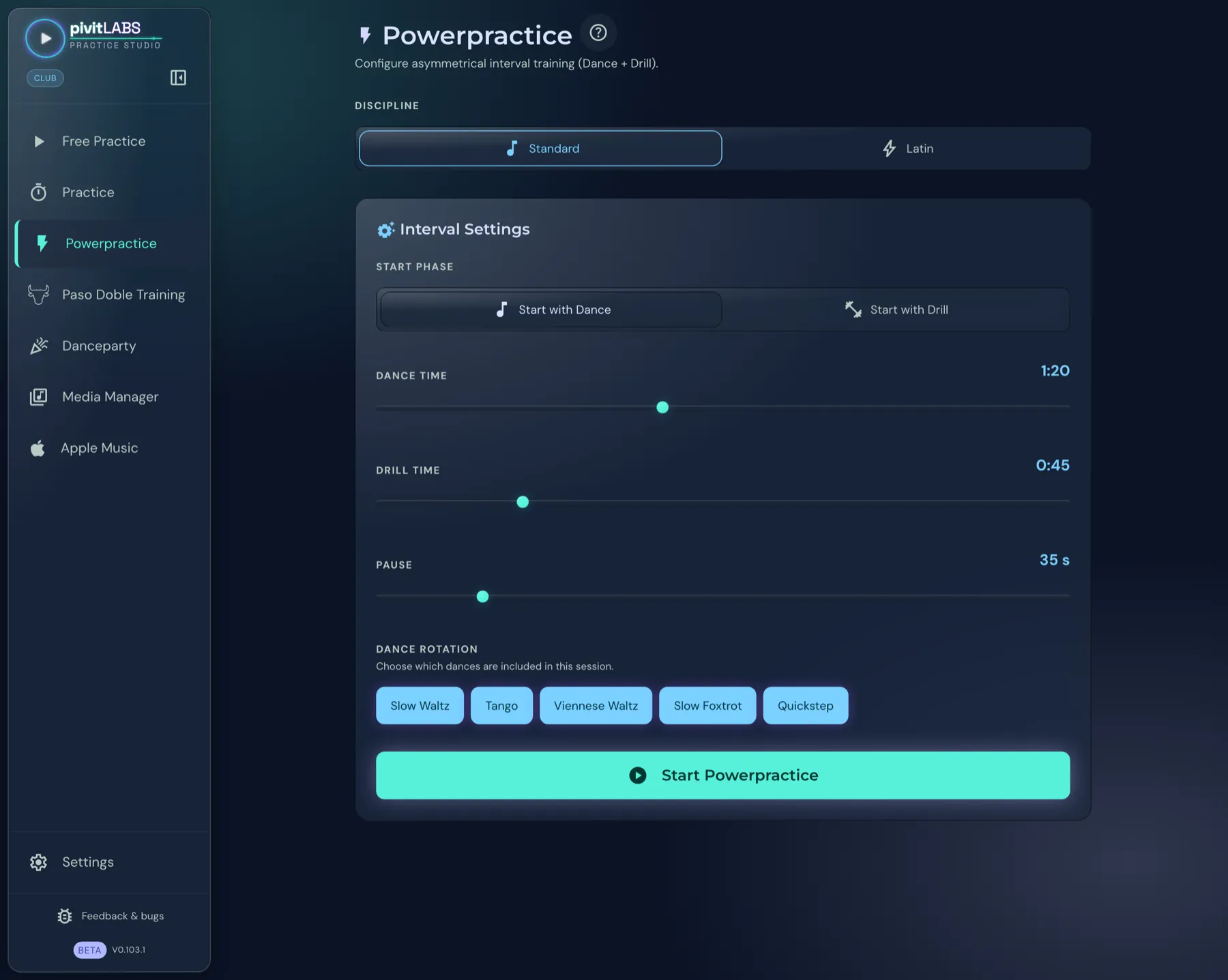
Section titled “Settings”- Open Powerpractice in the sidebar.
- Choose the Discipline: Standard or Latin.
- Under Interval Settings, set the Start Phase: Start with Dance or Start with Drill.
- Set Dance Time, Drill Time and Pause. All three sliders range from 0:10 to 3:00 minutes in 5-second steps.
- Under Dance selection, choose which dances should appear.
- Click Start Powerpractice.
The Playback preference decides which sources the music comes from. It works as in Practice, see Playback preference.
During training
Section titled “During training”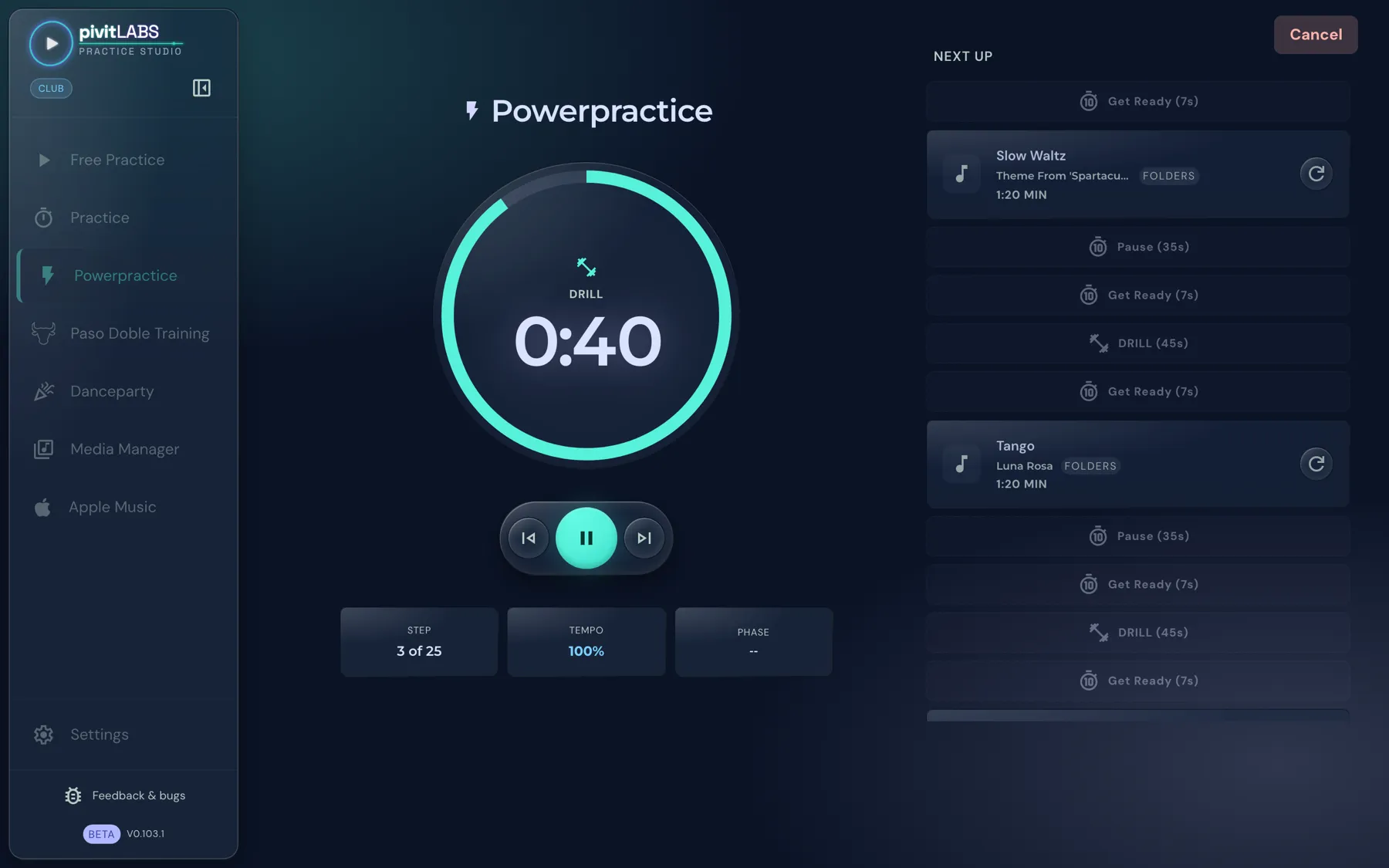
- Time ring in the middle: It shows the current phase and the remaining time. In the picture a Drill phase is running.
- Controls below: to the previous step, play or pause, to the next step. The thumb icons for rating the song belong to the Club package.
- Three tiles: Step (here 3 of 25), the current Tempo and the current Phase.
- Next up: On the right you see all following phases with their length: dances with song title and source, Drill, Pause and Get Ready. The circular arrow next to a dance loads a different song for it.
- Cancel: The button at the top right ends the training.
Order for each dance
Section titled “Order for each dance”Before each switch between dance and drill there is a short Get Ready phase of 7 seconds so you can prepare.
| Start with | Order |
|---|---|
| Dance | Dance → Get Ready (drill) → Drill → Pause → Get Ready (dance) |
| Drill | Get Ready (drill) → Drill → Get Ready (dance) → Dance → Pause |
In both variants the rest pause follows the dance. After the last dance nothing follows.
Music and signals
Section titled “Music and signals”- During the drill phase, its own drill music plays; in the pause, rest music.
- Signal tones mark the phase changes. They are on by default and can be adjusted in the settings under “Powerpractice Sounds”.
- With Apple Music (Pro): copy-protected tracks play through Apple Music and transitions may lag slightly.