

Curation
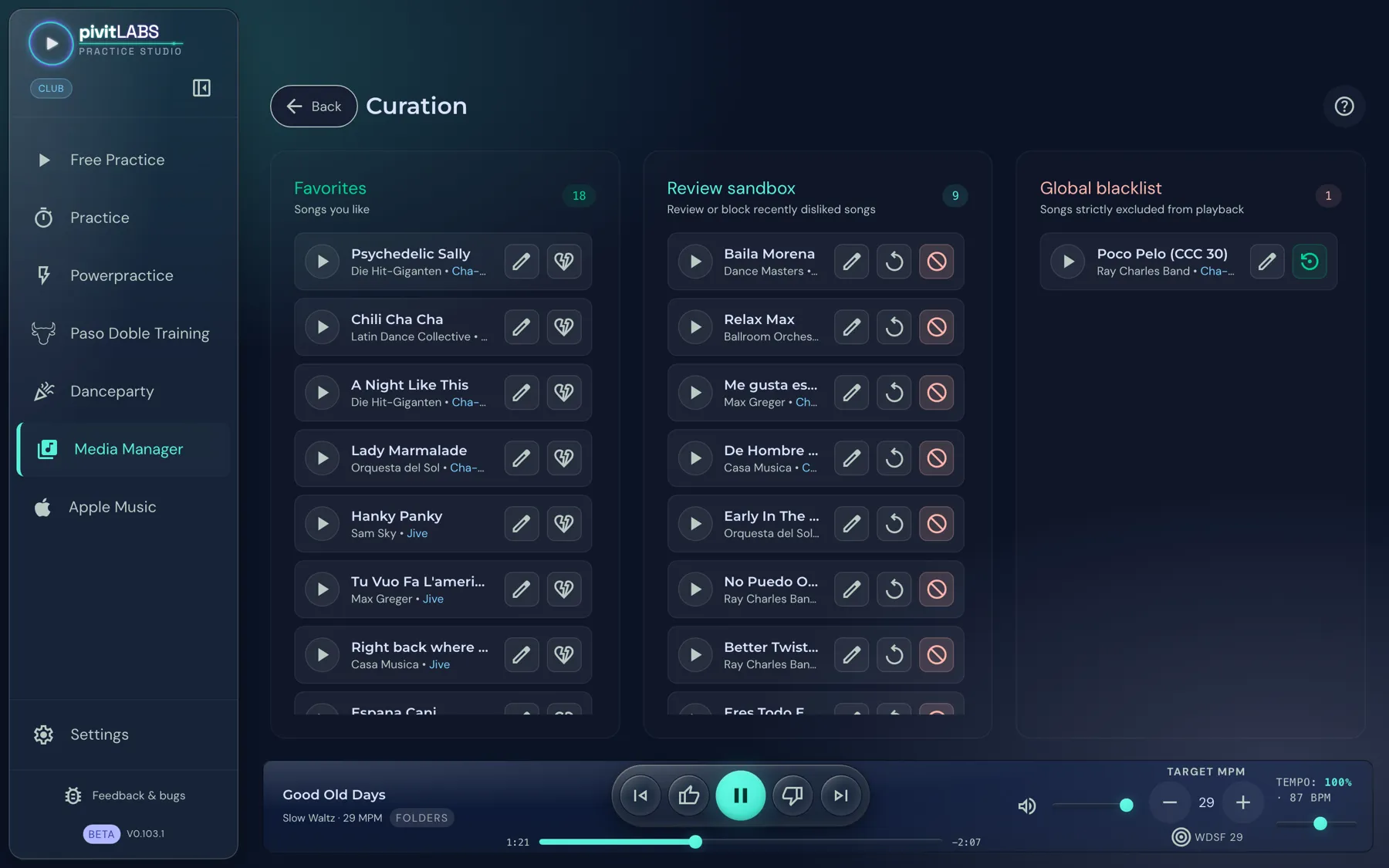
Curation controls which songs are played more often, normally, or not at all. You rate a song with the thumb icons in the player bar. You keep the overview in the Curation Hub.
Available in the Club package.
How to open it
Section titled “How to open it”Click Media Manager in the sidebar and then the tile Curation.
Rating songs
Section titled “Rating songs”You rate while listening, with the thumb icons to the left and right of the play button in the player bar. This also works in Practice, Powerpractice and Free Practice.
- Thumbs up: The song becomes a favorite.
- Thumbs down: The song goes into the Review sandbox.
Clicking again takes the rating back.
The three areas
Section titled “The three areas”Each area shows at the top right how many songs it contains.
Favorites
Section titled “Favorites”Songs you like. They are preferred in random selection. The broken-heart icon removes a song from the favorites again.
Review sandbox
Section titled “Review sandbox”Songs you rated with the thumb down land here for later review. They keep playing normally until you confirm them. The row offers two actions:
- Pardon (reset): The song disappears from the sandbox and is considered normally again.
- Move to blacklist: The song is blocked from now on.
Global blacklist
Section titled “Global blacklist”Songs that are never played automatically, not even in random mode. They stay blocked permanently. Allow again takes a song off the blacklist. The app asks for confirmation first.
In every row
Section titled “In every row”- Play: Listen to the song.
- Pencil: Opens the song for editing, for example to change the dance.
Good to know
Section titled “Good to know”- Your ratings are kept even if you rescan folders or change sources. A blocked song does not suddenly come back afterwards.
- A rated song that is no longer in your library stays in the list and carries the hint “Not currently in the library”.
- Practice Studio never writes ratings into your music files. They live only in the app.