Danceparty
Danceparty plays a complete running order for dance evenings and studio parties automatically: dance blocks, single special dances and break music. The music selection avoids duplicates.
Available in the Club package, together with the Curation Hub, the admin lock and kiosk mode.
How it works
Section titled “How it works”- Open Danceparty in the sidebar.
- Choose a party template at the top right. The Standard Danceparty is included. You can also build your own queue.
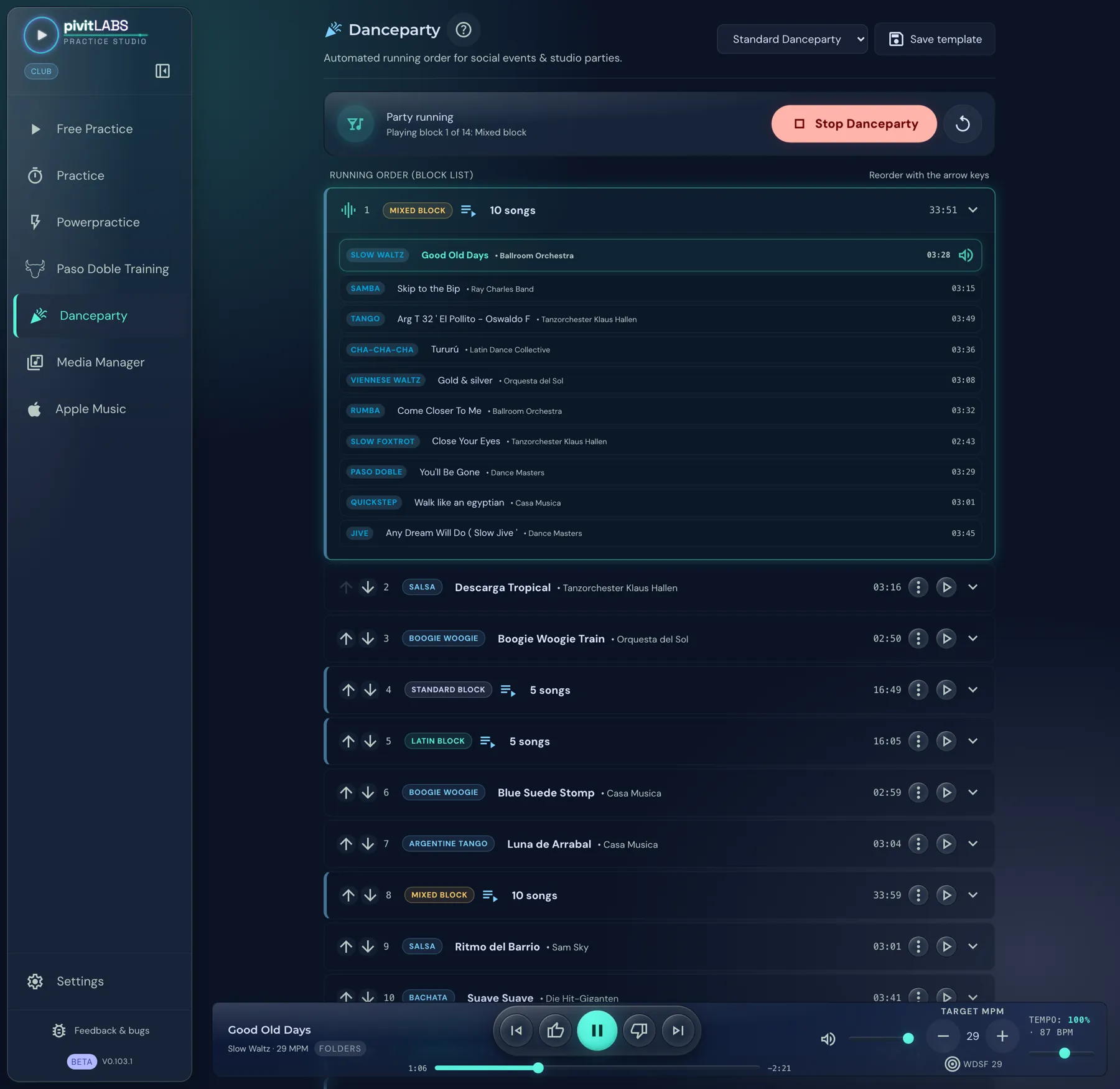
- The status bar shows “Party ready” and how many blocks the template contains, for example “14 blocks loaded from the template”. Start with Start Danceparty. The party now runs through the blocks automatically.
The status bar shows what is happening: Party running and below it which block is playing, for example “Playing block 1 of 14: Mixed block”. Stop Danceparty ends the party; the arrow next to it restarts it.
The block list
Section titled “The block list”Under Running order (block list), each block has a row with its number, type and length. There are two kinds of rows:
- Blocks with several songs, in the picture Standard block (5 songs), Latin block (5 songs) and Mixed block (10 songs) with their total length. The arrow on the right expands a block.
- Single dances, in the picture for example Salsa, Boogie, Argentine Tango, Bachata and Discofox, each with song title and length.
Every row has a play button. It starts that block immediately. The arrows on the left reorder the blocks. A block whose dance has no linked music carries the hint “No music linked (will be skipped)”.
Expanding a block
Section titled “Expanding a block”The arrow on the right edge expands a block and shows every single song with dance, title, artist and length. In the picture, the Mixed block contains ten songs, from the Slow Waltz to the Jive.
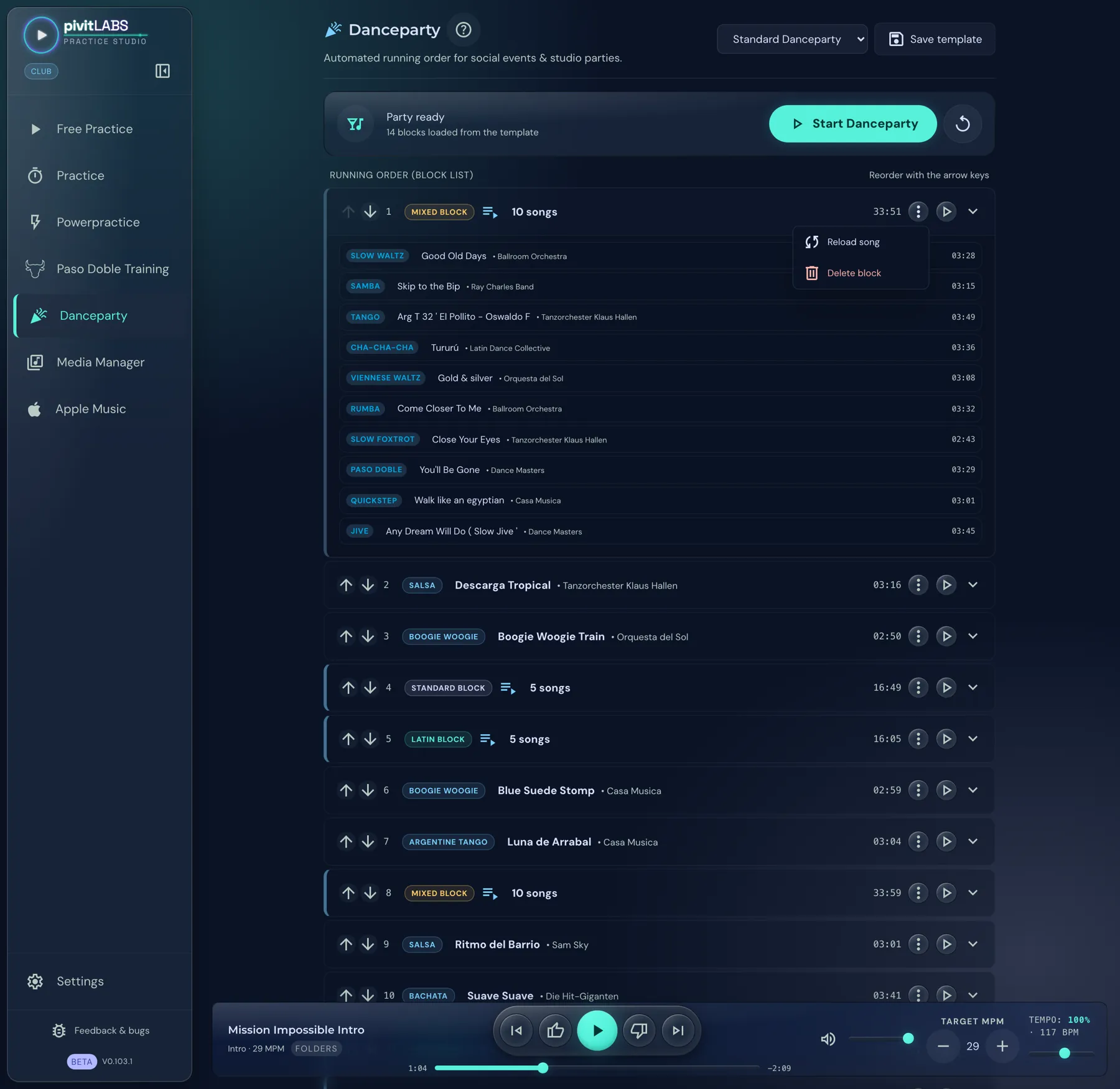
The three-dot menu on the right edge of a block offers two actions:
- Reload song: The app picks a different song for this block.
- Delete block: The block disappears from the running order.
Appending blocks
Section titled “Appending blocks”Under Append block / playlist you add to the end of the list:
- a Standard block, Latin block or Mixed block,
- a special dance, for example Salsa or Boogie Woogie (it must have been added as a special dance in the settings first),
- a single standard dance or Latin dance as its own block,
- an Apple playlist.
You can do this live during the party as well. Jump forwards and backwards between the blocks at any time.
Templates
Section titled “Templates”Save the current order with Save template (top right) under a name, for example “Saturday night party”. You manage templates in the settings, where you can edit or duplicate them.
At the bottom, as everywhere, runs the player bar with controls, tempo and target MPM.