

Free Practice
In Free Practice you build your own sequence of dances and let it run. The list is played in order, endlessly.
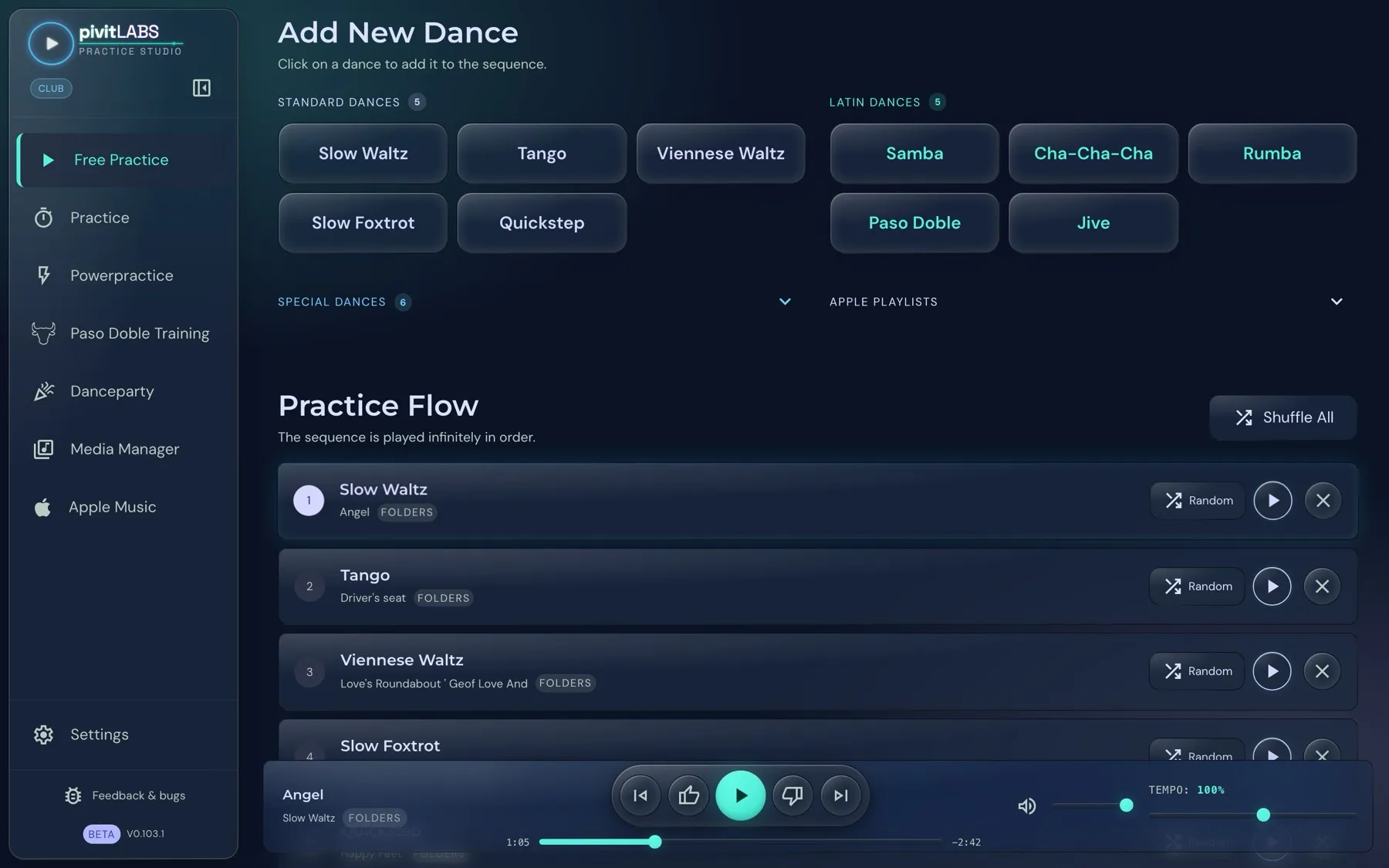
How it works
Section titled “How it works”- Open Free Practice in the sidebar.
- Click a dance at the top to add it to your sequence. The dances are grouped into Standard, Latin and Special dances, and each group can be collapsed and expanded.
- In the Practice Flow area you see your sequence. For each dance you can load a different song (“Random”) or remove the dance. Shuffle All reshuffles all songs.
If no music source is linked yet, the page shows a hint and leads you through the setup with the setup wizard. See Setting up your dance music.
The Playback preference row below the dances applies here too. What it means is explained under Practice.
Special dances
Section titled “Special dances”Besides the five standard and five Latin dances there is the group Special dances. It is collapsed when you open the page. Click the heading to expand it.
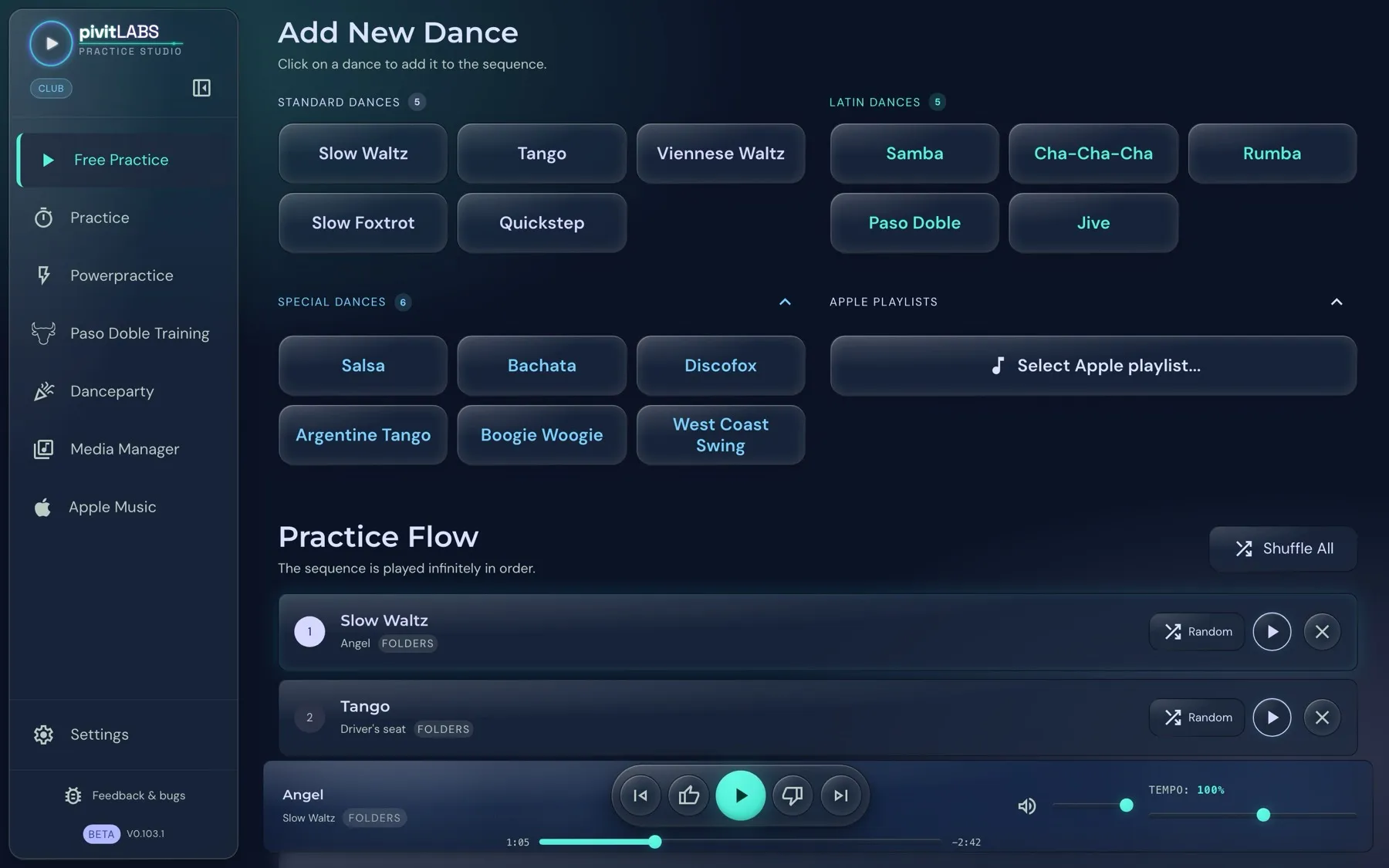
Built in are Salsa, Bachata, Discofox, Argentine Tango, Boogie Woogie, West Coast Swing, Lindy Hop, Mambo and Rock’n’Roll. The picture shows six. A special dance only appears once you have assigned music to it. The number next to the heading shows how many there are right now.
You click a special dance like any other dance, and it is appended to the practice sequence. That way you can practise a Salsa between your Latin dances, for example.
Your own dances: If a dance style is missing, for example Kizomba, you create it yourself. Open Media Manager → Sources & Mapping, click Add your own dance, enter the name of the category and assign music to it. It then appears among the special dances as well. See Setting up your dance music.
Apple playlists
Section titled “Apple playlists”Available from Pro. To the right of the special dances is the group Apple playlists, also collapsed. With Select Apple playlist… you add a whole playlist from Apple Music to your sequence, without assigning it to a dance first. You need a linked Apple Music library, see Apple Music.
The player bar
Section titled “The player bar”At the bottom you control playback, rate songs and set the tempo. Everything about it is under The player bar.